
Run operations from one pane, not four tools.
Inventory and assets, work orders, dispatch and routing, and SLA tracking — with the right views for operators at HQ and teams in the field, plus the reporting and KPIs to run it all. One operational pane, configurable without engineering for every change.
Inventory & assets / work orders / dispatch & routing / SLA tracking / KPIs
One job — and it touches four systems, three spreadsheets, and a phone call.
Operations live across field, warehouse, and HQ, and the truth about a single job is scattered across disconnected tools that were never meant to talk. So status is always a guess, nothing is in one place, and the only way to know what's really happening is to ask someone. An operations system unifies the workflow end-to-end — inventory and assets, work orders, dispatch, and SLAs in one pane — and it stays configurable, so the people running operations can change a rule without filing a ticket and waiting on engineering.
You already feel the friction.
Each familiar headache has the same answer — one pane built to run the work.
- 01
Operations span field, warehouse, and HQ
One pane across all three — not a tool, a spreadsheet, and a radio per site.
- 02
You're juggling four tools to run one workflow
A single workflow, end-to-end, instead of stitching the same job across apps.
- 03
Status is always a phone call away
Live status in the system — you read it instead of asking who knows.
- 04
SLAs slip before anyone notices
Commitments watched against the clock, surfaced while they're recoverable.
- 05
Every process change needs an engineer
Rules your own ops leads can change, with guardrails and an audit trail.
One pane that runs the whole operation.
Everything you currently spread across an ERP, spreadsheets, a maps tool, and a phone — gathered into one operational system.
Inventory & asset model
One source of truth for what you have, where it is, and its condition.
Work orders
Create, assign, and track every job from request to done, in one flow.

Dispatch & routing
Schedule and route the team with real constraints — skills, zones, windows.

SLA tracking & alerts
Every commitment on a clock, with problems surfaced early, not after.

Field-team views
Mobile, offline-friendly screens for the people doing the work on site.
KPIs & reporting
On-time rate, utilisation, backlog, and cycle time — live, not month-end.
One source of what you have, and where.
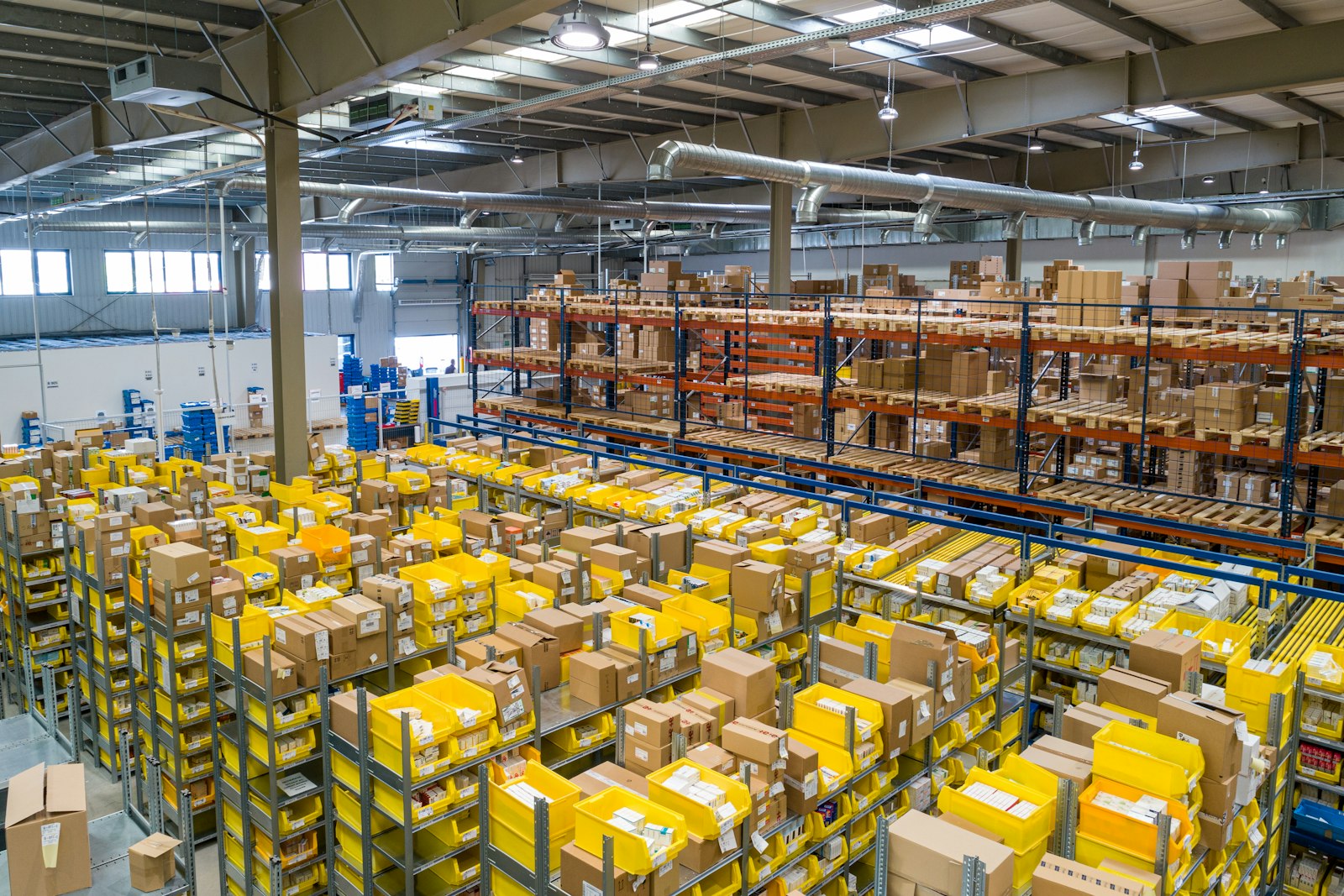
Counts drift when movement isn't captured where it happens, so two teams end up arguing over whose number is right. We model your inventory and assets once — items, locations, quantities, condition, ownership — and capture every move at the point of action: received on the dock, picked, transferred, or consumed on a job. The count reflects reality instead of last week's spreadsheet, and everyone reads from the same source.
- Items, locations, quantities, and condition in one model
- Movement captured where it happens, by scan
- One number both warehouse and field trust
- The foundation work orders and KPIs build on

Create, assign, route, and track every job.
A single job shouldn't have to live in four places. Work orders are created, assigned, sequenced, and routed in one flow, with the real constraints you operate under — skills, zones, time windows, capacity, and priority. The system can propose an optimised route and let a dispatcher override it, because real operations always need a human in the loop. As the day changes — a cancellation, a rush, a vehicle down — the plan adjusts instead of going stale.
- One flow from request to done
- Assignment and routing with real constraints
- Optimised routes a dispatcher can override
- Status that updates as the work moves
Catch the slip before it becomes a miss.
A breached SLA you learn about in next month's report is a problem you couldn't fix. Every commitment — response time, resolution, delivery window — is tracked against its clock as the work moves. The system watches the ones trending toward a breach and surfaces them early to the right person, with enough lead time to actually act. You get the nudge while it's still recoverable, not the red number afterward explaining why you didn't.
- Every commitment on its own clock
- Problems surfaced early, not after the fact
- Alerts routed to the right person
- Escalation thresholds you can tune yourself


The right screen for HQ and for the field.
HQ needs the board, the queue, and the exceptions; the field needs a job, a route, and a scanner in their hand. We build the right view for each — operator screens for dispatch and oversight, mobile, offline-friendly screens for the people on site — and we make them configurable. When the work changes, your own ops leads adjust the views, fields, and rules without filing a ticket or waiting on engineering.
- Operator views for dispatch and oversight
- Mobile, offline-friendly field screens
- Configurable fields, rules, and layouts
- Changes made by ops leads, not engineers
Field, warehouse, and HQ finally moving as one.
When everyone works from the same pane, the warehouse, the field, and HQ stop chasing each other — the operation just moves.
Built around the operation before the features.
Map the operation
We follow a job end-to-end across field, warehouse, and HQ — what moves, who touches it, and where the truth currently scatters.
Model inventory & work orders
We model your inventory and assets, and the work-order types and states that run the day, so the foundation matches how you actually operate.
Build dispatch, routing & SLAs
We build assignment, routing, and the SLA logic that hurts most — the constraints, the clocks, and the alerts that catch a slip early.
Wire views & integrations
We build operator and field views and connect the system to your ERP, maps, scanners, and the tools you keep, so data flows both ways.
Launch & make it self-configurable
We roll it out, train your team, and hand over the rules and views they can change themselves — so the system grows without us in the loop.
The four-tool workaround has run out of room.
Your operation spans field, warehouse, and HQ
When the work crosses sites and roles, no single spreadsheet holds it. One pane gives every part of the operation the same picture.
You're running one workflow across four tools
If a single job lives in an ERP, a sheet, a maps app, and a chat thread, the stitching is the bottleneck — and a system waiting to be built.
SLAs slip and process changes need an engineer
When you find out about a breach too late, and changing a rule means a ticket and a sprint, you've outgrown the tools you have.
Boring, proven tools — chosen because they hold up.
The things ops leaders ask us first.

Run the whole operation from one pane.
Tell us how a job moves through your operation today — the tools, the spreadsheets, the phone calls. We'll design one operational pane that covers inventory, work orders, dispatch, and SLAs across field, warehouse, and HQ — and that your own team can configure.
ReimeiTech builds operations management systems — one operational pane covering inventory and assets, work orders, dispatch and routing, SLA tracking, operator and field-team views, and reporting — spanning field, warehouse, and HQ, and configurable without engineering for every change.